
Radiant [Ongoing] - Version: 0.7.1

 (275 votes, average: 4.47 out of 5)
Developer:
RK Studios
Consider supporting the dev if you like the game and want them to do what they love. Click on dev's link for more info.
Release Date: 15 March, 2025
Game Size: 3.04 GB
Censorship: Uncensored
Game Engine: Ren'py
Current Game Version: 0.7.1 (Ongoing)
Total Views: 59.4K
Post your problem in our Discord server for faster response. Click here to join.
Game Informations
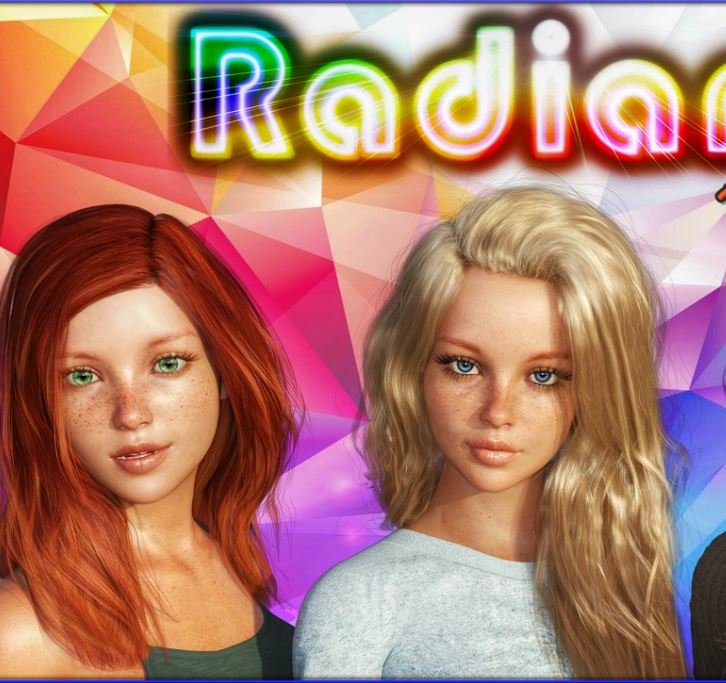
You’re a normal guy who shares an amazing night with the girl of his dreams: arguably the most attractive girl in town. But after being chased out by her unhinged father things take a tragic turn… leaving you in a coma for close to a decade and wiping much of your memory – including your memory of that fateful night. After several years of rehabilitation life eventually returns to normal… but lewd dreams of a girl you have no memory of haunt you… that is until one day when three spitting images of this “dream girl” show up at your doorstep… and they’re your… your-
Please keep the conversation pertinent to Radiant.
Off-topic discussion of other unrelated games may result in an immediate thread ban without prior notice.



How to install?
- Extract and run.
- IMPORTANT NOTE FOR ANDROID USERS:
Mobile players must now follow these steps to get the game working.
PATCHED VERSION INSTALLATION:
1. Download the two game files: 'Radiant.apk' and 'assets.rpa'
2. Download the patch below
3. Ensure 'assets.rpa' and 'true.rpa' are located in 'Downloads' or its subfolders
4. Run 'Radiant.apk', install, and launch the app - UNPATCHED VERSION INSTALLATION:
1. Download the two game files: 'Radiant.apk' and 'assets.rpa'
2. Ensure 'assets.rpa' is located in 'Downloads' or its subfolders
3. Run 'Radiant.apk', install, and launch the app - True Edition/Taboo Edition Patch Instructions:
"True Edition" Installation (PC & Mac):
Step 1. Extract files
Step 2. Copy the 'game' folder
Step 3. Navigate to 'Radiant' folder (already contains 'game' folder)
Step 4. Paste new 'game' folder
Step 5. Overwrite if prompted
"True Edition" Installation (Android):
1. Download 'true.rpa'
2. Ensure it's located in 'Downloads' or its subfolders
3. Run the game
**True Edition is not universal. If you encounter missing images, ensure you're using the latest version of the patch.
**Taboo Edition is included in the True Edition, no extra steps or downloads needed.
System Requirements:
- Dual Core Pentium or equivalent Processor.
- Intel HD 2000 or equivalent Graphics.
- 3.04 GB of free disk space (Recommended to have twice as much free disk space than this).
Radiant - Ongoing - Version 0.7.1 Download Links
Confused about how the downloading works? Here is a handy guide
Android APK Fileknot (.apk) Transfaze (.apk) Fileknot (.rpa) Transfaze (.rpa) Fileknot (True Edition/Taboo Edition) Transfaze (True Edition/Taboo Edition)
Mac OS Fileknot Transfaze Fileknot (True Edition/Taboo Edition) Transfaze (True Edition/Taboo Edition)
Linux Fileknot Transfaze Fileknot (True Edition/Taboo Edition) Transfaze (True Edition/Taboo Edition)
Android APK Buzzheavier (.apk) Datanodes (.apk) Gofile (.apk) Mixdrop (.apk) Vikingfile (.apk) Buzzheavier (.rpa) Datanodes (.rpa) Gofile (.rpa) Mixdrop (.rpa) Vikingfile (.rpa) Mega (True Edition/Taboo Edition)
Mac OS Buzzheavier Datanodes Gofile Mixdrop Vikingfile Mega (True Edition/Taboo Edition)
Linux Buzzheavier Datanodes Gofile Mixdrop Vikingfile Mega (True Edition/Taboo Edition)
Report only if Mega link or all links except Mega are unavailable. More details about it
Walkthrough and Guide
Walkthrough (Official): FILEKNOT - ANONZIPTemporary Walkthrough CH5: FILEKNOT - ANONZIP
Walkthrough Mod: FILEKNOT - ANONZIP
Walkthrough Mod Installation PC/MAC: Replace/Merge with the "game" folder.
Walkthrough Mod Features: This mod adds an in-game walkthrough for the important choices.
Gallery Mod: FILEKNOT - ANONZIP
Gallery Mod Installation:
Unzip file
Copy contents to /game folder in the game install directory
Gallery Mod Features:
Names and Relationships can be changed from defaults.
Filter gallery by multiple tags.
There is also an optional Unlock/Relock Unseen button. Due to Renpy limitation viewing a scene unlocked through the button will unlock it permanently.
During replay, right-click and choose "End Replay" to stop replay and return to gallery.
When viewing images can toggle between actual size or fit to screen if applicable. If actual size is larger than screen, image can be scrolled around.
Keyboard Navigation:
G - From main menu, opens gallery
V - Change Page/Scroll View
Left/Right Arrow - In Page View, Prev/Next Page
Ctrl + Left/Right Arrow - In Page View, First/Last Page
#1-9: In Page View, Jump to 1st through 9th Page respectively
#0: In Page View, Jump to Last Page
Up/Down Arrow - In Scroll View, Scroll Up/Down the List
PgUp/PgDn - In Scroll View, Scroll Up/Down by 1 screen at a time
Home/End - In Scroll View, Jump to Top/Bottom of List
F - Open Filter screen
N - Open Rename screen
U - Unlock/Relock button
X - Exit filter screen, rename screen, image viewer or replay if applicable
Z - In image viewer - toggle actual size or fit to screen
H - In image viewer - hide buttons for UI free viewing
C - In Filter screen - Clear all filters
NOTE:
The mod does not change any game files
Framerate Mod PC: FILEKNOT - ANONZIP
Framerate Mod Installation:
1.Copy the "game" folder into the game’s root directory (the same folder where "game.exe" is located).
2.The modded files will now take priority over the original animations.
3.Launch the game and enjoy smoother, enhanced visuals!
Framerate Mod Features:
97 animations
All compatible animations have been interpolated to HFR , ensuring fluid and lifelike motion.
Beyond higher framerates, every animation has been re-encoded with optimized parameters to deliver subtle yet impactful visual improvements.
What's New in Radiant Version - 0.7.1?
• Added ‘Status Screen’ for Brooke, viewable from Ch7 ending onwards
• Minor fixes and improvements
• Minor changes and additions to dialogu
Porn Games of interest:





- Do not post same comment twice, your pending comment will be moderated, approved and replied by a stuff soon.
- Do Not ask for new updates/"when it will release" etc unless it is already released by developers. We do not develop games, use common sense.
- Use English Language only.
- You can click the bell icon before commenting to get mail whenever someone replies your comment. Great way to be notified if you are posting questions, be sure to provide correct email in that case.
- If you want to ask features of games like Bugfixing, save file support, new content ideas etc then please contact the game developer, RK Studios .
- You can help us by reporting dead links, wrong informations, new available updates etc in the comment section.
If you have a problem, post in these links. Keep Comment section clean
New Update?
Request here
Install Problems?
Post your problems here
Broken Links?
Let us know here
Bugs in game?
Use this forum to report it