

Work 4 Me [Ongoing] - Version: 0.10.37
Developer: Bü
Consider supporting the dev if you like the game and want them to do what they love. Click on dev's link for more info.
Release Date: 11 November, 2026
Game Size: 97.8 MB
Censorship: Uncensored
Game Engine: Others
Current Game Version: 0.10.37 (Ongoing)
Total Views: 52
Post your problem in our Discord server for faster response. Click here to join.
Game Informations
Work 4 me is a work-management game inspired by Venus’s Club. Hire workers, staff six slots, run workdays and grow their skills .
The game is fully Girlpack-compatible: point it at the folder that contains your Girlpack folder and every pack is auto-detected.
The characters and their clip libraries are the center of everything — the game itself ships without a story and without fixed content, and that is by design: the folders you connect decide who the workers are and what they do.
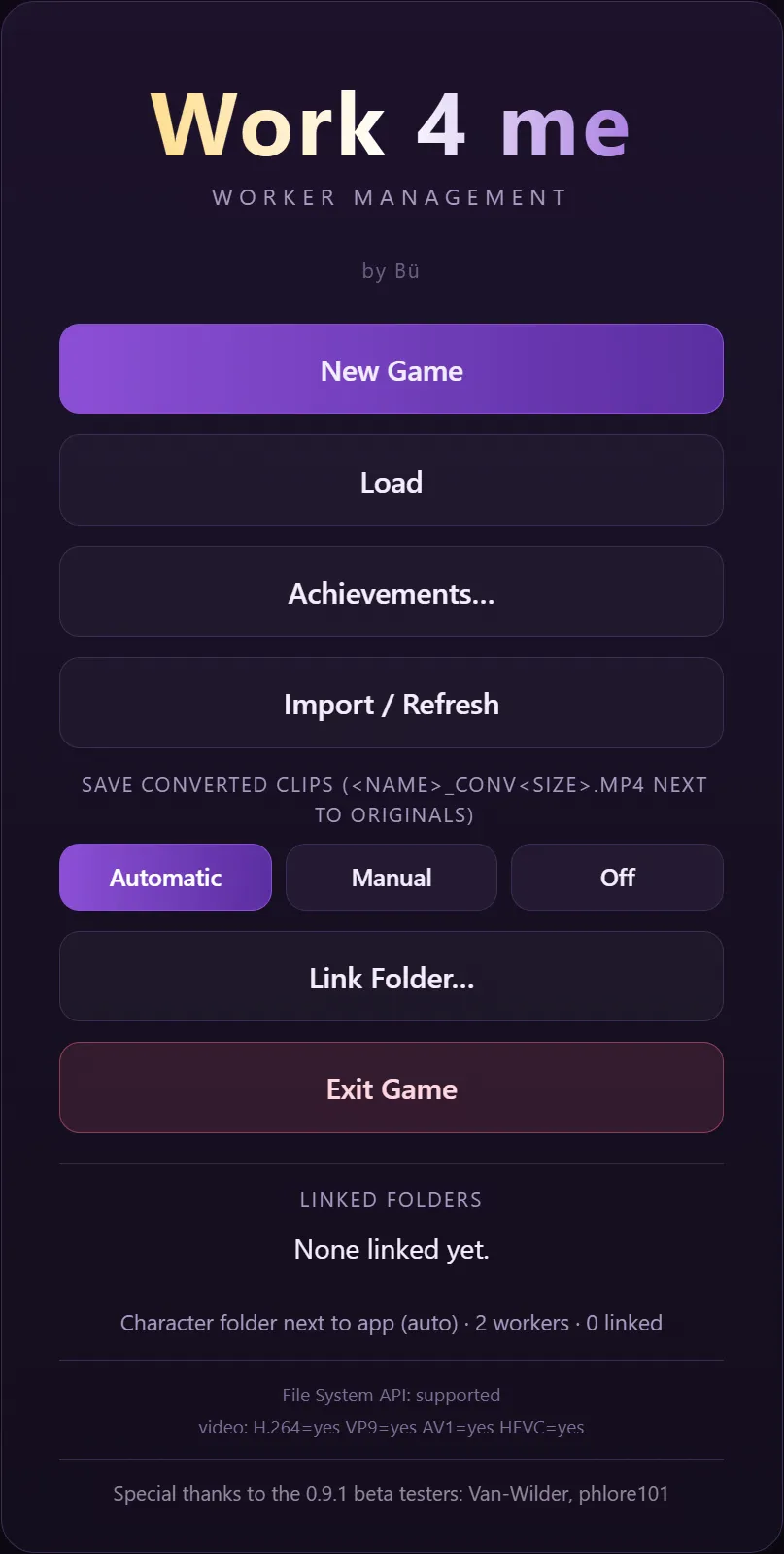
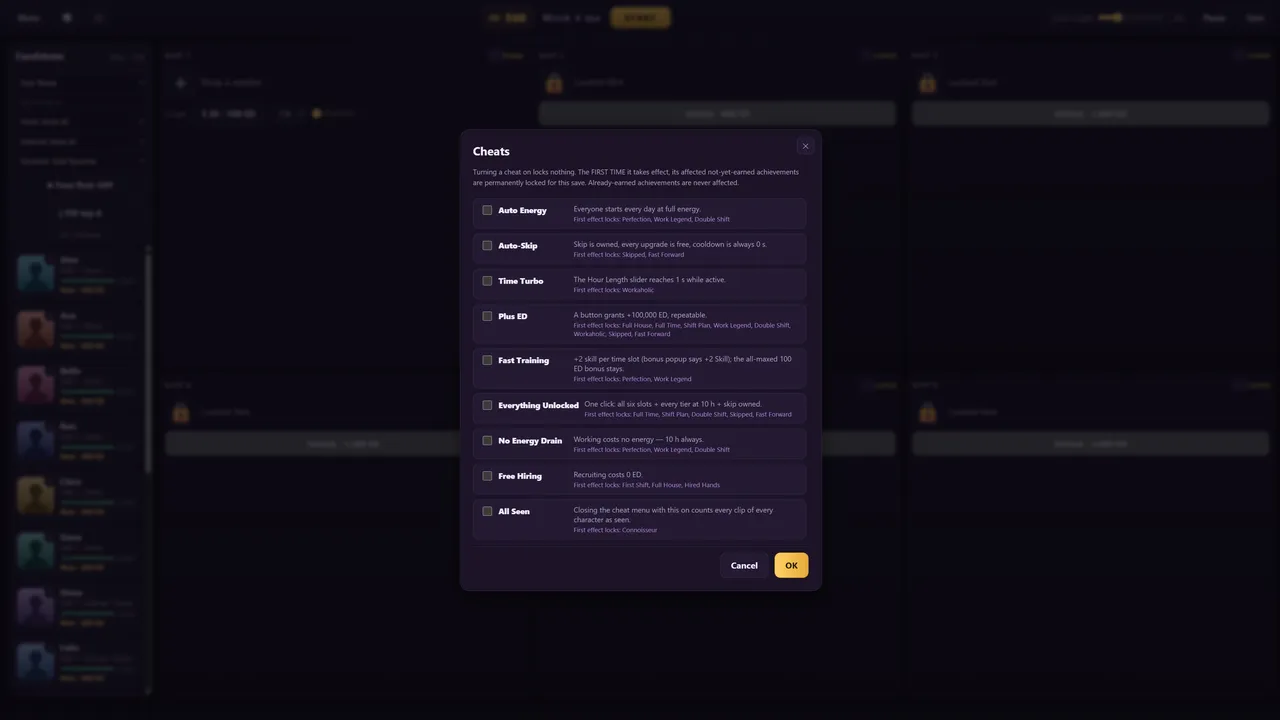
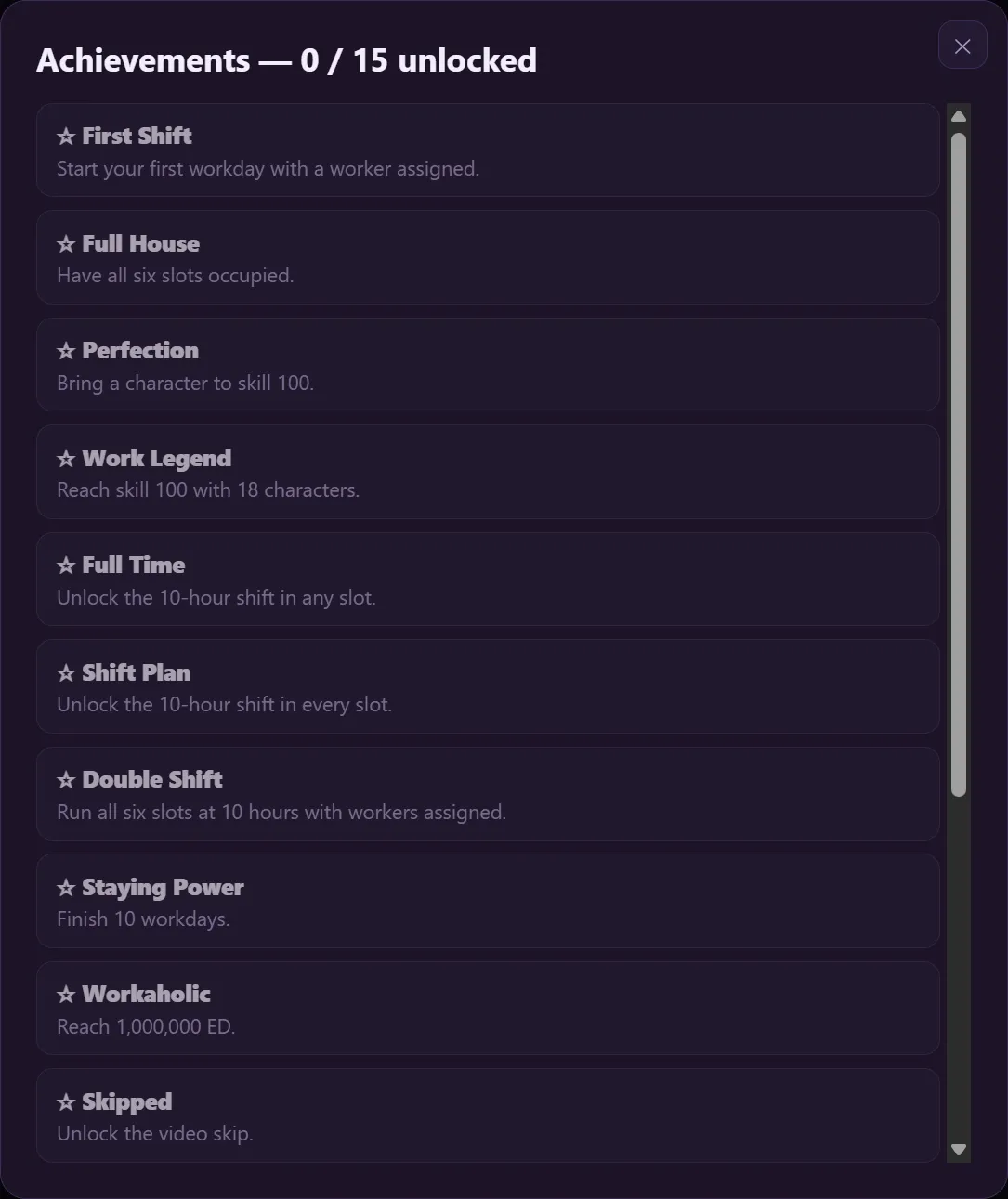
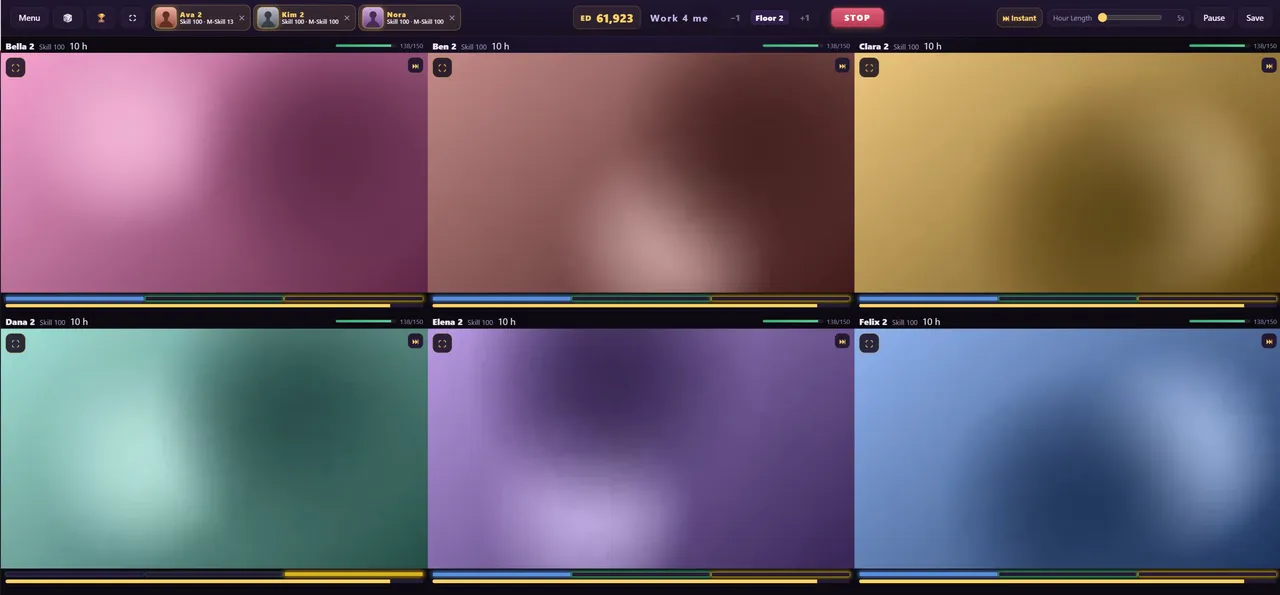
How to install?
- Extract and run.
- Your saves and your Game Info (Girlpack.txt, Menu.png) live in folders next to the exe. If you update from an older version, your existing files are copied there automatically on first start — nothing to move by hand.
System Requirements:
- Dual Core Pentium or equivalent Processor.
- Intel HD 2000 or equivalent Graphics.
- 97.8 MB of free disk space (Recommended to have twice as much free disk space than this).
Work 4 Me - Ongoing - Version 0.10.37 Download Links
Confused about how the downloading works? Here is a handy guide
Linux Pixeldrain Gofile Buzzheavier Mega Mixdrop Datanodes
Report only if Mega link or all links except Mega are unavailable. More details about it
Walkthrough and Guide
How to create a Character:You build a character out of FOLDERS. One character = one folder that
contains your images and videos. The game reads the folder layout — there
are no files to write for the character itself.
Put all your character folders into one parent folder (e.g.
"Character") and connect THAT folder in the game.
--- 1. THE STANDARD LAYOUT ---
<Name of Character>/
Images/
Head/ any image -> becomes the avatar (name doesn't matter)
Body/ numeric image names = body image per skill tier
e.g. 10.png is shown from skill 10 up, 60.png from 60 up
Videos/
PREP010/ prep clips, played at skill >= 10
WORK050/ work clips, played at skill >= 50
AFTER070/ after clips, played at skill >= 70
(older folder names SK050/ and AP070/ also work)
loose video files directly in Videos/ also work
Rules:
- The number in the folder name is the MINIMUM skill required.
A worker with skill 50 plays the highest WORK folder whose number is
<= 50. So fill e.g. WORK001, WORK010, WORK040, WORK080 and a low-skill
worker plays WORK001 while a maxed worker plays WORK080.
- Phases cycle in order: PREP -> WORK -> AFTER -> PREP ... A phase with
no clips is skipped (a character with only WORK clips works fine).
- A character with just two or three tiers works exactly the same as one
with 90 — the game only uses what exists.
--- 2. GIRLPACK LAYOUT ---
Existing girlpacks are detected automatically — no renaming needed:
- The folder's videos/Performances/Work/ tree is read, every clip's folder
path decides phase and skill tier.
- Clips under a "Finish" folder count as AFTER, everything else as WORK.
- The avatar is images/portrait_small.<ext> (exact name).
The tier for each folder is defined in Girlpack.txt (see below). By
default the standard Venus's Club folders are already mapped
(dance, pose, foreplay, oral, sex, group, finish...).
--- 3. GIRLPACK.TXT (mapping clips to phases and tiers) ---
Location (global, shared by all characters):
<folder with the exe>\Game Info\Girlpack.txt
Optional per pack (overrides the global file for matching folders):
<your pack folder>\texts\Girlpack.txt
Format — one rule per line:
<folder path> = WORK### | AFTER### | PREP###
Examples:
Dance/Dance = WORK001
Sex/Doggy = WORK060
Finish/Inside/Creampie = AFTER060
Dance/Closer = PREP05
- The path is relative to Performances/Work/ and uses "/" as separator.
- A rule covers the folder AND everything inside it; the DEEPEST (most
specific) rule wins.
- A pack's own rule wins for its clips; everything not matched by the
pack file falls back to the global file, then to the built-in standard.
- If no rule matches a clip: a "Finish" folder makes it AFTER, otherwise
WORK — both at tier 40.
- Lines starting with ";" are comments.
- The file is created automatically with the default mapping the first
time you hire a girlpack character. Edit it freely to map your own
packs the way you want.
--- 4. AVATARS AND BODY IMAGES ---
- Avatar: Images/Head/ (any image) for standard characters, or
images/portrait_small.* for girlpacks.
- Body images: Images/Body/ with numeric file names (1..100). The game
shows the highest numbered body image that is <= the worker's current
skill — so a character can change appearance as it levels up.
(Girlpacks: a single images/portrait.* is used.)
--- 5. TIPS ---
- Any video file type the game can decode (mp4, webm, mov, mkv, ...).
Unsupported codecs are converted on first play automatically.
- Keep the character FOLDER NAME clean — it is shown in the game.
- After adding/moving folders: menu -> Import / Refresh (a background
sync also picks up new files on the next start).
- The video library (double-click a character) lists the clips per phase
and tier — but only the ones the character's CURRENT skill has unlocked;
higher tiers show up as the skill grows. If the library looks empty at
skill 1, check whether you filled a tier-1 folder (e.g. WORK001) — or
set the character's skill higher in the setup to preview the rest.
How to create a Dialog:
Work 4 me — Dialogs Format V2
=========================================
One folder per character: <Character>/Dialogs/ (FLAT — directly in the
character root, NOT under texts/)
Everything for a dialog lives in that one flat folder:
- one .txt file per dialog e.g. "First shift.txt"
- the images the dialog references BG_ and FG_ prefixed (see below)
- the videos the dialog references .mp4 / .webm (extension decides kind)
An image WITHOUT a BG_/FG_ prefix in the folder is simply never used.
A broken or empty .txt is skipped silently — it never breaks the character.
v1 JSON dialogs (texts/Lessons/*.json) keep working and are merged in;
on a name collision (case-insensitive) the JSON wins.
FILE FORMAT (one file = one dialog, line by line)
-------------------------------------------------
# Dialog Name first line: the dialog name (default: file name).
All later # lines are ignored (comments).
trigger: ... 0..n triggers, comma or space separated:
hire opens ON ITS OWN the first time this character
gets a slot or a cell (one-shot, never re-fires)
m-slot same, for the first M-SLOT (manager) assignment
skill N opens on the first skill-up that REACHES N
(N = int or float; fires while the dialog is unpaid)
gold-frame opens when the character's video library COMPLETES
(gold frame lights up)
ZERO triggers = a NORMAL dialog (manual, list only).
skill: 40+ gate — the dialog unlocks at skill 40.
skill: 40-70 The MAX (40-70) ONLY matters for REPEATABLE dialogs:
a seen repeatable dialog is Done at skill > max.
Non-repeatable dialogs ignore the max entirely.
The max never gates the FIRST unlock (an unopened
dialog opens at skill >= min even above the max).
needs: A, B chain — unlocks once dialogs "A" and "B" were seen
(names case-insensitive, .json/.txt stripped).
repeatable: yes replayable from the list after "Done" (default no).
gain: N +N skill when the dialog reaches its TRUE
end (first run, txt dialogs only). The line may
sit in the header OR between content lines. A
"gain: N" line INSIDE (choice) marks THAT choice's
own gain instead — it beats the dialog-level one
(no double-dip). Gallery re-watches grant nothing.
Done bubble: "✓ Done (+N Skill)".
demand: N (legacy alias forder)
DEMAND BEAT — inline, ANYWHERE in the flow,
0..n per dialog (the old "meta zone" is simply
position 1). The Pay/Later row appears at EXACTLY
the point where the line is written. Pay = the ED
is deducted and the dialog continues with the NEXT
line (Done when the beat was the last one).
Later / X = the dialog stays PENDING ("Pending"
glow in the list, re-openable — it replays from
the start, no progress while unpaid). The
seen/Done stamp lands at the VERY END (after every
demand). A dialog without a demand is simply done
at the end. An unparseable amount (e.g. "forder:
much") becomes visible narrator junk (typo rule).
[narrator] text narration line (no speaker name)
[her] text the character speaks (speaker shows her name)
[you] text you speak ("mc" works too)
[img BG_front.png] STATEFUL background layer: set for ALL following
[img FG_ava.png] STATEFUL foreground layer (the standing image),
[img FG_ava.png|left] with an OPTIONAL position: |left, |center or |right
(default |center, since 0.10.20). The position is
stateful exactly like the layer itself; [img none]
resets it. LEGACY: "[bild ...]" is still accepted.
[img none] reset both. The FILENAME PREFIX decides the layer —
BG_* = background, FG_* = foreground. Both resolve
from the flat Dialogs/ folder; missing files fall
back silently (a line still plays, just no image).
VIDEO BEAT: the stage plays the clip (muted, native
controls) with a "Continue ▸" button — click it or
let it end to move on. Missing/broken file = the
beat is skipped silently (never a black box).
(choice) starts the answer section (one, at the end).
Every following [you] line = ONE NEW CHOICE
(unlimited, 2..n); the lines after it = that
choice's reaction dialogue. No (choice) = linear.
A "gain: N" line inside (choice) marks THAT
choice's own gain (beats the dialog-level one).
Unknown tag or line = narrator text (visible junk beats silent skip —
you will SEE a typo in-game, so you can find it).
MINIMAL EXAMPLE (a normal dialog)
---------------------------------
# Coffee break
[img BG_cafe.png]
[her] You're late.
[her] Sit down.
[img FG_ava_cafe.png]
[her] First round is on the house.
[img none]
(narrator)
...
TRIGGER EXAMPLE (auto-opens on first hire, asks for ED at the end)
------------------------------------------------------------------
# First shift
trigger: hire
skill: 1+
[img BG_floor.png]
[narrator] She clocks in and hands you the key card.
[img FG_ava_floor.png]
[her] The floor is yours tonight.
[her] When it slows down, come find me in the back.
demand: 25
BEHAVIOR NOTES
--------------
- Trigger dialogs open in their OWN window (title: "<Char> — <Dialog>"),
with the same tempo controls (Click/Auto + speed) as the library tab.
- Several triggers at once play back to back — one dialog at a time, each
close opens the next. During a RUNNING day the queue waits until you
close the end-of-day report; in the setup phase they open right away.
- Unpaid trigger dialogs glow "Pending" in the [ Videos | Dialogs ] tab of
the video library, with the trigger's lock reason on any frozen library
video row ("Dialog open: <Name>").
- A dialog with a demand you did NOT pay stays pending: re-openable from
the list, no cost to open again, no progress while unpaid (a re-open
plays from the first line).
- Paying a demand deducts the ED and CONTINUES the dialog; the seen/Done
stamp lands only at the very end — after every demand beat.
- In a gallery re-watch (Done row, replay button) demand beats are
auto-skipped — no pay row ever appears.
What's New in Work 4 Me Version - 0.10.37?
TOPBAR
——
– The topbar scrolls when it no longer fits: in a narrow window or
with high display scaling, two arrow buttons
appear – one after the Menu button, one before the Pause button.
Clicking an arrow slides the bar sideways until more buttons fit,
and the arrows hide again once everything fits.
Porn Games of interest:




- Do not post same comment twice, your pending comment will be moderated, approved and replied by a stuff soon.
- Do Not ask for new updates/"when it will release" etc unless it is already released by developers. We do not develop games, use common sense.
- Use English Language only.
- You can click the bell icon before commenting to get mail whenever someone replies your comment. Great way to be notified if you are posting questions, be sure to provide correct email in that case.
- If you want to ask features of games like Bugfixing, save file support, new content ideas etc then please contact the game developer, Bü.
- You can help us by reporting dead links, wrong informations, new available updates etc in the comment section.
If you have a problem, post in these links. Keep Comment section clean
New Update?
Request here
Install Problems?
Post your problems here
Broken Links?
Let us know here
Bugs in game?
Use this forum to report it